
10 Considerations for Choosing Manufacturing Inventory Software
Choosing inventory software for a manufacturing business is not the same as choosing inventory software for a retailer or distributor. Manufacturers deal with a fundamentally more complex problem: stock doesn’t just move in and out, it transforms. Raw materials become work in progress, which becomes finished goods, each stage consuming time, labor, and overhead along…
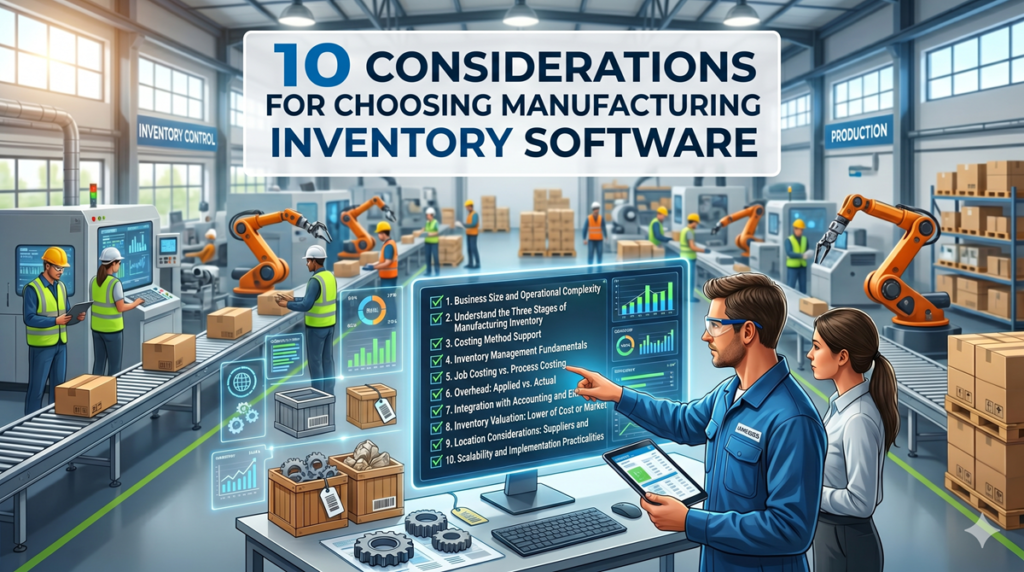
Choosing inventory software for a manufacturing business is not the same as choosing inventory software for a retailer or distributor. Manufacturers deal with a fundamentally more complex problem: stock doesn’t just move in and out, it transforms. Raw materials become work in progress, which becomes finished goods, each stage consuming time, labor, and overhead along the way. The software you choose needs to handle that entire production lifecycle, not just count what’s on the shelf.
This guide walks through the key considerations — from business size and costing methods to integration, location, and scalability — to help you make a well-informed decision.
1. Start with Business Size and Operational Complexity
The single most important filter when evaluating manufacturing inventory software is the size and complexity of your operation. The right platform for a 10-person job shop looks nothing like the right platform for a 500-person multi-site manufacturer.
Small manufacturers (typically under $5M revenue, fewer than 50 employees) need software that is affordable, fast to implement, and easy to use without a dedicated IT team. Platforms like Katana, Cin7 Core, or Fishbowl are commonly used at this tier. They offer solid inventory fundamentals — raw material tracking, basic bill of materials (BOM), purchase orders, and accounting integration — without the complexity or cost of a full ERP. Cloud-based subscription pricing, often $100–$500/month, keeps the barrier low.
Medium manufacturers ($5M–$75M, 50–500 employees) usually need more: multi-location inventory, more sophisticated costing, MRP (material requirements planning), and tighter integration between the shop floor and financials. At this level, platforms like Acumatica Manufacturing, Sage X3, or Epicor Kinetic become relevant. Implementation timelines stretch from a few months to close to a year, and total cost of ownership rises accordingly.
Large manufacturers (above $75M, multiple sites, global supply chains) are generally evaluating enterprise ERP systems — SAP S/4HANA, Oracle Fusion Cloud, or Microsoft Dynamics 365 Finance & Supply Chain. These platforms offer deep functionality but require significant investment: implementation costs alone can run from several hundred thousand to several million dollars, with total five-year cost of ownership often reaching $1M–$5M or more for mid-large operations.
The key question at any size is: what are you outgrowing? Many manufacturers start on spreadsheets or a basic accounting system and hit a wall when they can no longer accurately track raw material usage, manage reorder points, or reconcile inventory with their financials. That pain point — not a vendor’s sales pitch — should drive the decision.
2. Understand the Three Stages of Manufacturing Inventory
Any manufacturing inventory software worth considering must handle inventory across all three production stages:
Raw materials are the inputs — steel, fabric, components, chemicals — purchased from suppliers and held until needed for production. The software must track quantities on hand, quantities on order, and cost per unit. It should also support reorder point alerts and purchase order generation so you’re never caught short.
Work in progress (WIP) is inventory that has entered the production process but isn’t finished yet. This is where manufacturing gets genuinely complex. WIP must be valued correctly — capturing the cost of materials consumed, direct labor applied, and overhead allocated — and tracked through each production stage. Poorly managed WIP is one of the most common sources of cost inaccuracies in manufacturing.
Finished goods are completed products ready for sale or dispatch. The software needs to track finished goods by location, manage lot or serial numbers where relevant, and update stock in real time as production completes and sales orders are fulfilled.
A system that handles all three stages in a connected, real-time way gives you something invaluable: a single, accurate picture of everything you own at every stage of the process.
3. Costing Method Support
How your software values inventory directly affects your financial reporting, your tax position, and your understanding of product profitability. Before evaluating any platform, confirm which costing methods it supports and whether those match your accounting requirements.
FIFO (First In, First Out) assumes the oldest inventory is used or sold first. It is widely used and often required for perishable goods, food manufacturing, and businesses where costs are rising — because it better reflects current replacement costs in ending inventory.
LIFO (Last In, First Out) assumes the most recently purchased inventory is consumed first. LIFO is permitted under US GAAP but prohibited under IFRS. If you operate internationally or use international accounting standards, check this carefully.
Average costing calculates a rolling weighted average cost each time inventory is received. It smooths out price fluctuations and is often the default in mid-market software. It suits high-volume, homogeneous inventory well.
Standard costing assigns a predetermined cost to each item, based on expected material, labor, and overhead costs. The gap between standard cost and actual cost is captured as a variance, which management reviews periodically. Standard costing is particularly common in discrete manufacturing and is central to formal cost accounting practice.
Activity-based costing (ABC) allocates overhead based on actual activities and their drivers — more accurate than standard costing for complex operations with diverse product lines, but also more data-intensive to implement. This is typically only available in mid-to-enterprise platforms.
The practical implication: if your accountant uses standard costing and your software only supports average costing, you will have ongoing reconciliation headaches. Align on costing method before you shortlist platforms.
4. Inventory Management Fundamentals
Beyond costing, look carefully at the core inventory management features. These are the day-to-day tools your operations and purchasing teams will rely on.
Reorder point is the stock level that triggers a purchase order or production order. Good software calculates this dynamically based on lead time and demand, not just a static number you set once and forget.
Safety stock is the buffer inventory held to protect against unexpected demand spikes or supplier delays. The software should either calculate this for you or make it easy to set and review by item.
Economic order quantity (EOQ) is the optimal order size that minimizes total carrying cost and ordering cost. Not all platforms surface this explicitly, but the underlying logic should inform their replenishment recommendations.
Carrying cost — the cost of holding inventory, including storage, insurance, obsolescence, and tied-up capital — is often underestimated. Software that helps you visualize and reduce carrying cost pays for itself.
Cycle counting is the practice of counting a rotating subset of inventory regularly, rather than shutting down for a full physical count. Best-in-class manufacturers achieve 98%+ inventory accuracy through disciplined cycle counting programs. Check that your software supports this workflow natively.
Perpetual vs. periodic inventory is a fundamental architectural choice. Perpetual systems update inventory in real time with every transaction — the norm for any serious manufacturing operation. Periodic systems update at set intervals (monthly, quarterly) — simpler but far less useful for active production management. Most modern manufacturing software uses perpetual inventory; if a platform you’re considering uses periodic, dig into why.
5. Job Costing vs. Process Costing: Which Does The Manufacturing Inventory Software Support
The type of manufacturing you do determines which costing approach your software must support.
Job costing tracks costs at the individual job or work order level. Each job has its own direct materials, direct labor, and applied overhead. This suits job shops, custom manufacturers, and engineer-to-order businesses where every production run is different. Job costing software lets you see the exact profitability of each job and compare it to the estimate — critical for quoting accuracy over time.
Process costing aggregates costs across a production run or time period, then divides by units produced. It suits process manufacturers — food and beverage, chemicals, pharmaceuticals, paper — where large volumes of identical or near-identical products flow through continuous processes. Individual job tracking at this scale would be impractical.
Some manufacturers use both — a hybrid approach for businesses with mixed production modes. Not all platforms handle this gracefully, so if your operation is mixed-mode, test it specifically.
When evaluating job costing capability, look at how the software handles scrap and rework costs. These are real costs that must be captured and allocated — either back to the job or absorbed as a period cost — and they are often poorly handled in lightweight platforms. Similarly, check how wastage is tracked: material consumed but not incorporated into the finished product needs to be recorded accurately, or your material cost figures will be understated.
6. Overhead: Applied vs. Actual
Overhead — the indirect costs of production, including factory rent, utilities, depreciation, and indirect labor — must be allocated to products to understand true cost. How your software handles this matters.
Applied overhead uses a predetermined overhead rate (typically calculated as overhead cost per labor hour or machine hour) to assign overhead to each job or product. The rate is set at the beginning of the period based on budgeted costs and activity.
Actual overhead captures what overhead really cost during the period and allocates it after the fact.
The difference between applied and actual overhead produces a variance — either over-applied (you allocated more overhead than you actually spent) or under-applied (you allocated less). Variance analysis is the discipline of investigating these differences to understand whether they stem from spending variances, efficiency variances, or volume variances. This is core management accounting practice, and your software should make it straightforward, not require a separate spreadsheet.
Better platforms surface variance analysis as a standard report, not something you have to reverse-engineer from raw data.
7. Integration of Manufacturing Inventory Software with Accounting and ERP Systems
Manufacturing inventory software does not exist in isolation. It needs to exchange data with your accounting system, and potentially with a broader ERP, CRM, and e-commerce platforms.
Accounting integration is the most critical link. Every inventory movement — goods receipt, production completion, goods dispatch — has a financial consequence that needs to flow into your general ledger in real time. If inventory and accounting are running in disconnected systems with manual re-entry or periodic exports, you will have errors and you will have lag. Look for native, bidirectional integration with your accounting platform (QuickBooks, Xero, Sage, or your ERP’s own financial module) rather than a third-party connector that adds another point of failure.
ERP systems are worth understanding in context. A full manufacturing ERP (NetSuite, SAP, Dynamics 365, Epicor, Acumatica) includes inventory management as one module within a broader system that also covers financials, production planning, CRM, purchasing, and HR. A standalone inventory platform (Katana, Fishbowl, Cin7) focuses on inventory specifically and integrates with separate accounting software. Neither is inherently better — the right choice depends on your complexity and budget. For smaller manufacturers, a best-of-breed inventory platform integrated with an accounting system often gives better results at lower cost than a full ERP implemented poorly. For larger, more complex manufacturers, the integration benefits of a unified ERP platform usually outweigh the cost.
MRP (Material Requirements Planning) capability deserves specific attention. MRP calculates what materials you need, when, and in what quantities, based on your production schedule and current stock levels. It’s the engine that connects inventory management to production planning. If your platform includes MRP, check how it handles multi-level BOMs, lead time variability, and low-stock alerts. Weak MRP is one of the most common complaints manufacturers have about their current software.
8. Inventory Valuation: Lower of Cost or Market
For financial reporting purposes, inventory must be valued at the lower of cost or market (LCM) — meaning if the market value of your inventory falls below what you paid for it (due to obsolescence, damage, or price decline), you must write it down. This is a standard accounting requirement under both GAAP and IFRS.
Good inventory software should support LCM adjustments and make it practical to identify slow-moving or obsolete inventory through aging reports. If you’re carrying significant inventory value on your balance sheet, this matters to your auditors and your lenders.
9. Location Considerations: Suppliers and Customers
Where your suppliers and customers are located has direct implications for what your software needs to do.
If you source materials internationally, you need software that handles landed cost calculation — the total cost of an item including purchase price, freight, customs duties, and insurance. Many platforms show only the purchase price; platforms that calculate true landed cost give you a more accurate material cost base and therefore more accurate product costing.
Multi-currency support is essential if you buy or sell in more than one currency. Check whether the software handles exchange rate fluctuations and records the gain or loss correctly in your accounts.
If you operate across multiple sites or warehouses, you need inventory tracked by location, with the ability to transfer stock between sites and consolidate reporting across all of them. Single-site inventory systems will create problems quickly.
If you sell to customers with specific compliance requirements — traceability by lot number, expiry date management (FEFO: First Expired, First Out), or regulatory documentation — confirm the software handles these before you commit. This is particularly relevant in food, pharma, medical devices, and aerospace.
10. Scalability and Implementation Practicalities
The best time to think about where your business will be in five years is before you sign a software contract. A platform that fits perfectly today but requires replacement in three years — because it can’t handle a second warehouse, additional product lines, or increased transaction volume — is a false economy.
Key questions on scalability:
- Does pricing scale per user, per transaction, or per module? (Per-user pricing penalizes growth; consumption-based pricing can be unpredictable.)
- Can the platform handle the number of SKUs and transaction volume you’ll reach at 2× your current size?
- Is the vendor financially stable and actively developing the product, or is it legacy software with minimal investment?
- What does implementation actually involve — can your team handle it, or do you need a partner?
On implementation: realistic timelines range from a few weeks for a lightweight cloud platform at a small manufacturer, to 6–18 months for a full ERP at a mid-to-large business. Budget for implementation costs of roughly 1× to 2× your first-year software cost. Data migration — getting your existing inventory data, supplier records, and historical costs into the new system cleanly — is typically the most time-consuming and underestimated part of the process.
Putting It Together: A Decision Framework For Manufacturing Inventory Software
Before you start demos, answer these questions:
- What manufacturing type are you? Discrete (job costing), process (process costing), or mixed mode?
- What costing method does your accounting team use? Standard, average, FIFO, or LIFO?
- How complex is your BOM? Single-level, multi-level, or configurable/engineer-to-order?
- Do you need traceability? Lot, serial number, expiry date?
- How many locations do you manage? Single site or multi-site?
- What accounting platform are you on? QuickBooks, Xero, Sage, or an ERP’s own financials?
- What is your budget? Including implementation and first-year running costs.
- Where are you in 5 years? More products, more sites, more staff — will the platform grow with you?
The answers to these eight questions will eliminate the majority of platforms from consideration and narrow your shortlist to two or three realistic options. From there, run a structured demo with your own real data, talk to reference customers in your industry, and negotiate carefully on scope and support terms before you sign.
Manufacturing inventory software is not a commodity purchase. The right system gives you accurate costs, confident decisions, and a foundation for growth. The wrong one creates reconciliation problems, inventory inaccuracies, and eventually a replacement project you didn’t budget for.
Take the time to choose well.