
Best Inventory Tracking Apps for Manufacturing Businesses
5 Best Inventory Tracking Apps for Small to Medium Manufacturing Managing a bustling shop floor is chaotic enough without worrying about missing raw materials or inaccurate stock levels. When production relies on outdated spreadsheets, costly mistakes are bound to happen. Upgrading your systems is the smartest way to regain control of your operations. Manufacturing inventory…
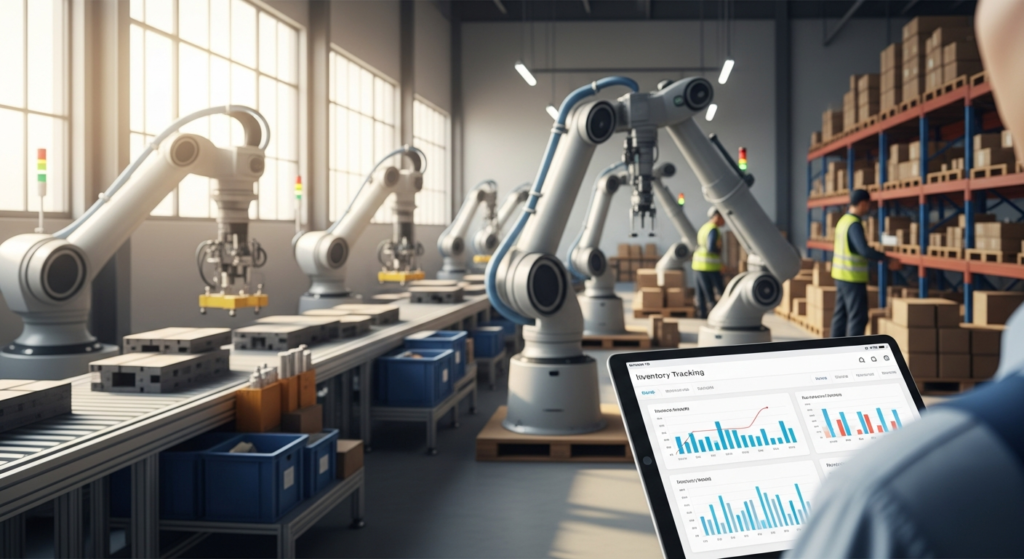
5 Best Inventory Tracking Apps for Small to Medium Manufacturing
Managing a bustling shop floor is chaotic enough without worrying about missing raw materials or inaccurate stock levels. When production relies on outdated spreadsheets, costly mistakes are bound to happen. Upgrading your systems is the smartest way to regain control of your operations.
Manufacturing inventory tracking apps are software solutions designed to monitor raw materials, work in progress (WIP), and finished goods in real-time.
Without these dedicated tools, businesses face a massive financial drain due to manual tracking errors. Unexpected stockouts halt production lines, while overstocking ties up valuable cash flow. Furthermore, manual data entry inevitably leads to inaccurate Cost of Goods Sold (COGS).
Cost of Goods Sold (COGS) represents the direct costs attributable to the production of the goods sold by a company. When your COGS is wrong, your profit margins and tax filings will be too.
The solution is to upgrade to the best inventory tracking apps that manufacturing companies rely on today. These tools automate tedious workflows and permanently bridge the gap between the production floor and the accounting department. Ultimately, the right software will streamline your operations and significantly increase your profit margins.
Top 5 Inventory Tracking Apps for Manufacturing
Choosing the right software requires looking past flashy marketing to understand how a tool actually performs. Below is an objective breakdown of the top inventory tracking apps tailored specifically for manufacturing.
1. Katana Cloud Manufacturing
Katana is a modern, visual inventory platform built from the ground up for today’s dynamic makers. It replaces clunky legacy systems with a highly intuitive, color-coded dashboard.
Material Requirements Planning (MRP) is a software-driven system used to calculate the exact materials and components needed to manufacture a product. Katana operates as a lightweight, cloud-based MRP, automatically allocating raw materials to open orders the second a sale is made.
Value for Money:
Katana offers exceptional value for scaling small-to medium-sized businesses (SMBs). While not the cheapest option on the market, its robust feature set delivers a rapid return on investment (ROI). The time saved on manual tracking easily justifies the monthly subscription tiers.
Pros and Cons:
- Pros: Seamless, native integrations with Shopify and QuickBooks. The visual dashboard is incredibly intuitive, and raw material tracking is highly accurate.
- Cons: The pricing can become expensive for very large teams requiring dozens of user seats. It also lacks some of the deep, specialized features found in legacy Enterprise Resource Planning (ERP) systems.
Who This Is For:
Katana is perfect for direct-to-consumer (DTC) manufacturers and mid-sized workshops. If you prioritize ease of use, modern aesthetics, and seamless e-commerce integrations, Katana is a top-tier choice.
2. MRPeasy
MRPeasy is exactly what its name implies: a powerful, cloud-based MRP and ERP system designed to simplify complex manufacturing. It provides deep visibility into every stage of the production cycle.
Unlike simpler apps, MRPeasy dives deep into capacity planning, machine workloads, and advanced inventory forecasting. It is built to handle the heavy lifting of traditional manufacturing environments.
Value for Money:
MRPeasy uses a highly attractive flat-rate pricing model based on user tiers rather than charging for your growing production volume. This makes it highly cost-effective as your manufacturing output scales up. You won’t be penalized with higher software fees just because your business is growing successfully.
Pros and Cons:
- Pros: Offers deep production planning and highly accurate cost accounting capabilities. It also features strict serial and lot tracking for total compliance.
- Cons: There is a steeper learning curve compared to simpler apps. The user interface is highly functional but visually feels slightly dated.
Who This Is For:
This platform is ideal for data-driven manufacturers who need granular production scheduling. If your business requires strict compliance tracking and complex Bill of Materials (BOM) management, MRPeasy is an excellent fit.
3. Fishbowl Inventory
Fishbowl Inventory is a highly popular hybrid solution that offers both on-premise and cloud-hosted deployments. It is best known for its incredibly tight, native integration with QuickBooks.
For manufacturers who have outgrown QuickBooks’ native inventory features but aren’t ready for a massive enterprise system, Fishbowl bridges the gap. It adds advanced manufacturing logic to your existing accounting foundation.
Value for Money:
Fishbowl typically requires a higher upfront investment for licensing and implementation. However, the long-term savings are significant because you do not have to completely overhaul your existing QuickBooks accounting systems. You save thousands on retraining your accounting staff.
Pros and Cons:
- Pros: Features advanced barcode scanning and highly customizable manufacturing workflows. Its compatibility with QuickBooks is virtually unparalleled in the industry.
- Cons: The initial setup cost is higher than pure cloud-based competitors. Implementation can be complex and often requires a dedicated onboarding specialist.
Who This Is For:
Fishbowl is designed for established manufacturing businesses that are deeply entrenched in the QuickBooks ecosystem. It is the go-to choice if you need advanced inventory control without the pain of migrating to a massive, disruptive ERP.
4. Odoo
Odoo is an open-source suite of business applications that covers everything from CRM to accounting. Its manufacturing and inventory modules are highly robust and infinitely customizable.
Because it is open-source, developers can tweak almost every aspect of the software to fit unique shop floor requirements. It operates as a fully integrated ecosystem where all departments share a single source of truth.
Value for Money:
Odoo offers exceptional value through its modular pricing structure, allowing you to pay only for the apps you actually use. You can start with just the inventory and manufacturing modules, adding accounting or sales features later. This makes it highly affordable for companies willing to scale their software as they grow.
Pros and Cons:
- Pros: The system is highly customizable and serves as an all-in-one business management suite. It features incredibly strong routing and work center management tools.
- Cons: Deep customization usually requires technical expertise or a hired developer. Additionally, community customer support can sometimes be slow.
Who This Is For:
Odoo is perfect for tech-savvy manufacturers or fast-growing operations. If you want a single, scalable ecosystem to handle inventory, accounting, and sales all in one place, Odoo is unmatched.
5. Sortly
Sortly is a simple, visually oriented inventory app focused on fundamental tracking rather than complex MRP capabilities. It is designed to be as user-friendly and intuitive as possible.
Instead of relying on heavy production schedules, Sortly uses a folder-based system to organize stock with high-quality photos. It is the digital equivalent of an incredibly well-organized storage room.
Value for Money:
Sortly provides a highly affordable entry point for micro-manufacturers and cash-strapped startups. Its low monthly cost provides immediate relief from spreadsheet chaos without requiring a massive budget.
Pros and Cons:
- Pros: It is extremely user-friendly with virtually zero learning curve. It features a fantastic mobile app with built-in barcode scanning and is very low cost.
- Cons: Sortly lacks complex BOM tracking and WIP accounting. It does not offer advanced production scheduling or manufacturing-specific automations.
Who This Is For:
Sortly is built for micro-manufacturers, artisan makers, and small workshops. It is the perfect first step for businesses that just need to transition away from messy Excel spreadsheets.
Buyer’s Guide: How to Choose the Right Manufacturing Inventory App
Selecting the right software is a major decision that impacts every level of your business. Use the following criteria to evaluate which app will best serve your specific operational needs.
Understand Your Bill of Materials (BOM) Complexity
A Bill of Materials (BOM) is a comprehensive recipe of raw materials, components, and instructions required to construct a manufactured product.
If your business builds complex products, you must choose software that supports multi-level BOMs. A multi-level BOM allows you to track sub-assemblies—products manufactured for use as components in a larger final product. Basic apps will struggle to calculate the costs and material requirements of these nested assemblies.
Evaluate Accounting Integrations
Inventory tracking is only half the battle; the financial data must reach your back office seamlessly. You must look for inventory apps that offer native, seamless syncs with platforms like Xero, QuickBooks, or NetSuite.
This automation ensures accurate COGS, proper WIP accounting, and effortless tax compliance. When your inventory app speaks directly to your accounting software, you eliminate hours of manual data entry and costly human errors.
Assess Scalability and Total Cost of Ownership (TCO)
Total Cost of Ownership (TCO) is the combined purchase price of an asset plus the ongoing costs of operation, implementation, and maintenance.
When choosing an app, look beyond the initial monthly subscription fee. Factor in the costs of implementation specialists, hardware requirements like barcode scanners, and future user-seat upgrades. A cheaper app might actually cost you more in the long run if you have to rip it out and replace it in two years.
Essential Tracking Features
Not all inventory tracking features are created equal. For manufacturing, certain functionalities are non-negotiable.
Ensure your chosen software includes robust lot and serial number tracking for quality control and potential product recalls. You also need built-in barcode generation and the ability to allocate raw materials in real-time. This prevents your sales team from selling products when the required raw materials are already reserved for another build.
Frequently Asked Questions (FAQs)
What are the best inventory tracking apps manufacturing startups should use?
Startups should focus on low-cost, high-value applications that are easy to deploy without an IT team. Sortly is an excellent choice for basic visual tracking, while the entry-tier of Katana is perfect for startups needing a more robust, manufacturing-specific workflow.
How do manufacturing inventory apps improve accounting accuracy?
These apps create an automated sync between raw material consumption on the shop floor and your general ledger. By automating this process, the software eliminates manual data entry errors, ensuring your profit margins and COGS are always accurate.
Do I need a cloud-based or on-premise inventory system?
Cloud-based apps offer immense flexibility, remote access, and much lower upfront costs. However, on-premises servers might be necessary for large-scale enterprise operations that require strict, localized data control and security compliances.
Can these apps track Work-In-Progress (WIP) inventory?
Work-In-Progress (WIP) refers to partially finished goods awaiting completion on the production floor. While basic apps like Sortly cannot track this, true manufacturing-focused apps like MRPeasy and Fishbowl specialize in highly accurate WIP valuation.
The Verdict
Investing in the right manufacturing inventory app is one of the most profitable decisions your business can make. The software easily pays for itself by eliminating dead stock, preventing costly production delays, and automating tedious accounting workflows.
Here is how the top competitors stack up for specific business needs:
- Best Overall Value: Katana. It perfectly balances a beautiful, modern UI with highly powerful MRP features.
- Best for QuickBooks Users: Fishbowl Inventory. It provides advanced warehouse control without forcing you to abandon your familiar accounting setup.
- Best for Complex Operations on a Budget: MRPeasy. Its flat-rate pricing and deep production planning make it a powerhouse for data-heavy manufacturers.
Every shop floor operates differently, and software is never a one-size-fits-all solution. We highly encourage you to utilize the free trials offered by these platforms. Test out your specific BOMs, run a few mock production orders, and evaluate their workflows before making your final software commitment.