Deploy Manufacturing Project Management Software in 3 Steps
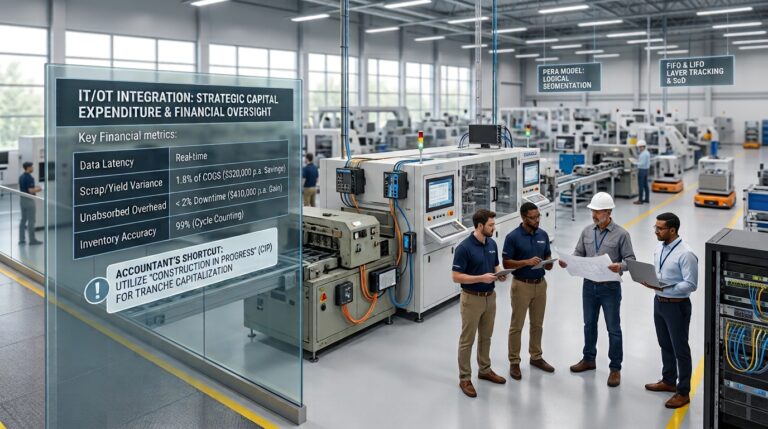
Multi-site manufacturers can deploy manufacturing project management software to control financial and operational risk across the plant network. Fragmented project tracking in a multi-plant environment leads to opaque Work-in-Progress (WIP) valuations, unabsorbed labor, and misaligned cost centers. A centralized PM tool gives every plant the same workflow and data model, linking physical operational milestones to…
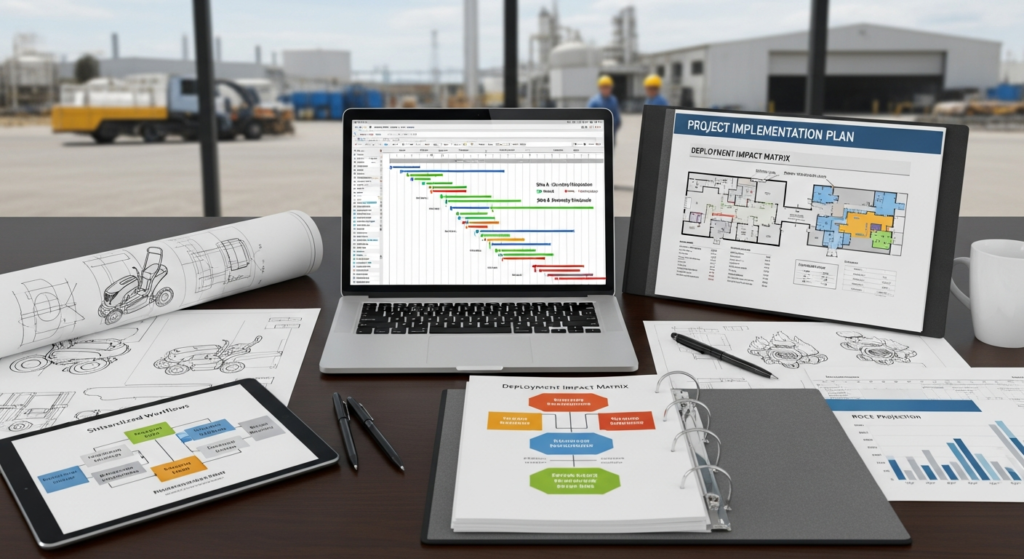
Multi-site manufacturers can deploy manufacturing project management software to control financial and operational risk across the plant network. Fragmented project tracking in a multi-plant environment leads to opaque Work-in-Progress (WIP) valuations, unabsorbed labor, and misaligned cost centers. A centralized PM tool gives every plant the same workflow and data model, linking physical operational milestones to financial reporting.
This guide sets out the financial and operational protocols required to implement project management (PM) software across multiple locations, with particular attention to protecting data integrity and the month-end close while proving measurable return on capital employed (ROCE).
What You Need
A Dedicated Cross-Functional Implementation Team
A successful multi-site deployment requires strict segregation of duties (SoD) alongside cross-functional coordination. The steering committee must include:
- Plant Controllers: To map the PM Work Breakdown Structure (WBS) to the Chart of Accounts (CoA).
- Operations/Plant Managers: To validate physical plant workflows against system routing steps.
- IT Leads: To oversee ERP/MES data bridges and API security.
- Shop Floor Supervisors: To ensure time-tracking and cycle-counting controls are practical for direct labor personnel.
Clearly Defined Manufacturing Project Management Software Requirements
Software specifications must be driven by cost accounting and audit requirements, not just task management. Requirements must include:
- Bidirectional API capability for standard costing and BOM rollups from the ERP.
- Real-time tracking of direct labor hours to calculate labor efficiency variances.
- Automated capital project tracking (ASC 350-40 / IAS 38) to capitalize internal implementation labor accurately.
Budget and Resource Allocation
Approved funding must differentiate between Capital Expenditure (CapEx) and Operating Expenditure (OpEx).
- Software Licensing (SaaS): OpEx.
- Implementation Consulting & System Architecture: CapEx, where software implementation costs qualify for capitalization.
- Training & Downtime: OpEx, absorbed into overhead or expensed directly.
Communication Plan
The change plan must protect the financial calendar. The communication plan must clearly state implementation blackout periods. No system cutovers should occur during the 5-day month-end close cycle or annual physical stocktakes.
Realistic Scenario: Discrete Manufacturer (Lawnmowers & Woodfires)
Context: A $40M turnover discrete manufacturer operating two sites: Site A, Aluminum Casting/Fabrication; and Site B, Assembly/Wholesale. The company is launching a new range of hybrid mowers, and requires a PM tool to manage the New Product Introduction (NPI) project across both facilities.
Pre-Implementation Financial Reality:
- Site A tracked tooling setup in spreadsheets, leading to a $120K annual unfavorable overhead volume variance.
- Site B lacked visibility into Site A’s sub-assembly delays, inflating safety stock and tying up $450K in unnecessary working capital.
Projected Deployment Impact Matrix:
| Financial Metric | Legacy System State | Post-Deployment Target | Annualized Impact |
|---|---|---|---|
| WIP Days Outstanding | 22 Days | 16 Days | +$350K Free Cash Flow |
| Labor Efficiency Variance | -$85,000 (Unfavorable) | +$15,000 (Favorable) | $100,000 Cost Saving |
| Obsolete Inventory Write-offs | 2.4% of COGS | 0.8% of COGS | $210,000 Cost Saving |
Step 1: Define Your Manufacturing Project Management Software Requirements
Conduct a Multi-Site Needs Analysis
Evaluate the cost accounting structures and operational bottlenecks at each facility. Site A, the foundry, may use machine-hour overhead absorption. Site B, the assembly operation, may use direct labor-hour absorption. The PM software must accommodate both models while rolling project costs into a consolidated financial view.
Identify Core Functionality and Integrations
The software must natively integrate with existing ERP systems, such as SAP, Epicor, or Oracle, to prevent dual data entry. Core functionalities must include:
- Real-Time Gantt Charts: Linked directly to MRP (Material Requirements Planning) lead times.
- Resource Capacity Planning: To forecast direct labor utilization and prevent unfavorable labor rate variances.
- BOM Syncing: Ensuring that any engineering change orders (ECOs) managed in the PM tool automatically update the ERP’s active BOM.
Establish Security and Cloud Infrastructure Needs
Define data residency requirements and access controls suitable for SOX (Sarbanes-Oxley Act) environments. Multi-site cloud architecture requires strict role-based access. For example, a project manager at Site A should not be able to alter standard costs or routing parameters at Site B without an authorized digital workflow.
2: Plan the Multi-Site Rollout Strategy
Choose the Deployment Model (Phased vs. Big Bang)
For risk control, a Phased Rollout is the safer manufacturing approach. Deploy at the flagship plant, or at the facility with the tightest inventory controls, first. A Big Bang approach can create standard cost rollup failures across the enterprise and compromise the month-end close.
Standardize Workflows and Naming Conventions
Prior to deployment, the Master Data must be scrubbed and standardized.
- Align WBS codes in the PM tool directly with the ERP’s General Ledger codes.
- Create unified project templates so that “Scrap,” “Rework,” and “QA Hold” are defined and recorded identically across all geographical locations.
Map Out the Data Migration Process
Audit existing project WIP and remove inventory records that do not physically or financially exist.
- Practical Shortcut: Do not migrate historical, closed projects. Export legacy data to a secure data warehouse for audit purposes, and migrate only active projects with opening balances into the new PM system. The opening WIP balance in the new system must tie exactly to the GL balance at cutover.
3: Execute the Deployment and Training
Launch a Pilot Program
Execute the pilot on a single, isolated production project, such as a specific NPI or capital plant upgrade. Run parallel financial reporting for one month. The Financial Controller must verify that labor hours and material consumption logged in the new PM software reconcile with the ERP’s variance accounts.
Develop Site-Specific and Role-Specific Training
Tailor training based on system interaction levels:
- Shop Floor/Direct Labor: Focus exclusively on accurate time-sheeting, barcode scanning UI, and cycle counting controls. If they bypass the system, labor remains unabsorbed.
- Plant Managers: Focus on resource capacity dashboards and bottleneck identification.
- Executives/Finance: Focus on portfolio cost, schedule, and risk status, milestone billing triggers, and capital expenditure tracking.
Go-Live and Offer Hyper-Care Support
Schedule the official launch immediately after a successful month-end close and a hard physical stocktake. This creates a clean baseline. Provide a two-week hyper-care phase, with IT and Finance implementation leads stationed on the floor to resolve routing errors or BOM inaccuracies before they hit the financial statements.
Common Mistakes to Avoid
Forgetting Facility-Specific Nuances
Do not assume all sites use the same production flow. A discrete assembly facility should not be forced into the same process-flow project templates as a continuous-flow foundry. The result is usually corrupted standard costing and large favorable or unfavorable variance swings.
Neglecting Change Management
Shop floor workers will revert to legacy spreadsheets if the new UI is cumbersome. Reduce resistance by eliminating steps that operators see as duplicate work. If a shop floor worker previously had to log time on a paper card and a spreadsheet, the new system must allow them to scan a barcode and clock in to a task in under 5 seconds. When direct labor staff fail to log time accurately against project tasks, the plant under-absorbs overhead. The P&L becomes distorted, and true gross margins are harder to see.
Underestimating Data Cleanup
Migrating obsolete BOMs, outdated vendor pricing, or unreconciled WIP into the new PM tool instantly compromises system integrity. Finance must sign off on a thorough data cleansing process prior to migration.
Expected Operating Result
Shared Multi-Site Operations
All facilities operate on a shared system of record. With project workflows consolidated, management can shift production schedules between sites to balance capacity without losing visibility into cost or timeline.
Real-Time Project Status and Reporting
The executive team and financial controllers gain direct access to project cost, schedule, and milestone status. Variances are identified in real time, which allows corrective action mid-month rather than after a post-close variance review.
Baseline for Process and Cost Analysis
Standardized WBS, BOM, routing, and labor data let finance compare variance, capacity, and cost across sites. With uniform processes in place, the business can measure labor efficiency across multiple plants, rationalize overlapping operational costs, and increase manufacturing output without losing cost control.
Frequently Asked Questions
How long does it typically take to deploy project management software across multiple manufacturing sites?
For a mid-market manufacturer with $40M–$60M turnover, a phased multi-site rollout generally takes 6 to 9 months. That includes Master Data cleansing, pilot testing, and scheduling go-live dates around the month-end financial close.
Can the new project management software integrate with our existing ERP and machine-level software?
Yes. Modern PM tools use REST APIs to push and pull data from legacy ERPs such as SAP, Oracle, and Epicor. For critical financial data, establish one-way writes where possible. Standard costs, for example, should flow from the ERP to the PM tool, not the reverse, to maintain strict internal controls.
How do we handle resistance to new software from long-term plant employees?
Resistance is mitigated by demonstrating immediate practical value to the operator. Eliminate redundant data entry. Replace paper cards and spreadsheets with a single barcode scan that clocks the worker into the task in under 5 seconds. Localized, role-specific training is critical; do not train a machine operator on executive dashboarding.