Best Tax Software for Small Manufacturing Businesses
Protect Profits with the Best Tax Software for Small Manufacturers Navigating tax season as a small manufacturing business is a completely different ballgame from that of standard retail or service companies. You operate in a highly regulated landscape where inventory valuation, complex depreciation schedules, and multi-state compliance are everyday realities. To succeed, you must understand…

Protect Profits with the Best Tax Software for Small Manufacturers
Navigating tax season as a small manufacturing business is a completely different ballgame from that of standard retail or service companies. You operate in a highly regulated landscape where inventory valuation, complex depreciation schedules, and multi-state compliance are everyday realities.
To succeed, you must understand a few critical concepts. Here are the core “Atomic Definitions” every manufacturer needs to know:
- COGS (Cost of Goods Sold): The direct costs of materials and labor used to produce the goods your company sells.
- Section 179 Deduction: A tax code allowing businesses to deduct the full purchase price of qualifying manufacturing equipment in the year it is bought.
- R&D Tax Credit: A federal and state incentive rewarding companies for investing in product development, design, and process improvements.
- Sales Tax Nexus: A legal connection between your business and a specific state that triggers your obligation to collect and remit sales tax.
The core problem for small manufacturers is that generic tax and accounting tools are built for the masses. They often miss industry-specific deductions, mishandle complex inventory tracking, and leave you exposed to devastating audit risks.
The solution is upgrading your tech stack. Investing in the best tax software manufacturing businesses use is no longer just a compliance requirement. It is a strategic move designed to protect your profit margins, optimize cash flow, and uncover hidden capital.
Top Reviews: Comparing the Best Tax Software Manufacturing Solutions
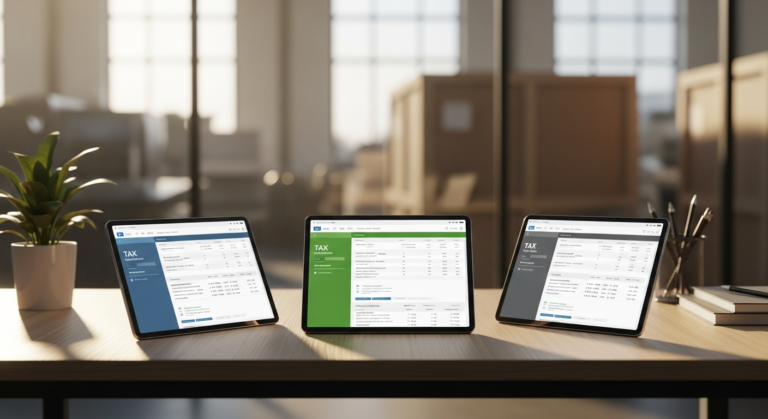
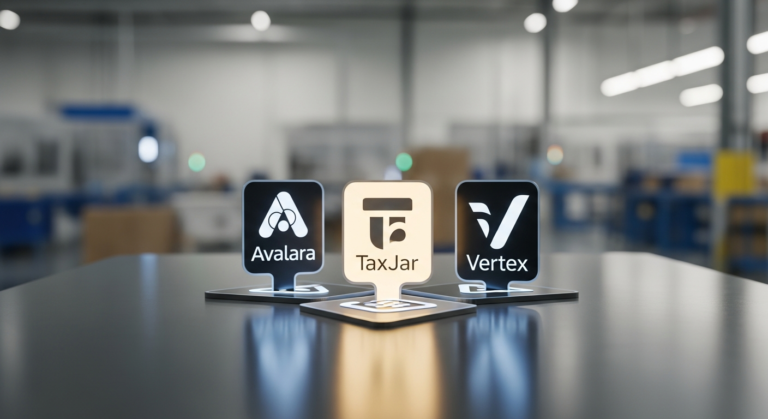
Finding the right platform means looking past flashy marketing and evaluating how a tool actually handles the nitty-gritty of production lines and distribution. Below is a breakdown of the leading software platforms to help you make an informed purchasing decision.
Avalara AvaTax (Best for Sales Tax & Multi-State Nexus)
Overview
Avalara AvaTax is a powerhouse for automating sales tax calculations, particularly for manufacturers selling direct-to-consumer or via wholesale distributors across state lines. As your business grows and your products cross new borders, you trigger complex sales tax nexus laws. Avalara monitors these thresholds in real time and automatically applies the correct tax rates at checkout or invoicing.
Value for Money
Avalara utilizes a pricing structure based on your specific transaction volume. While it requires a monthly commitment, the cost is easily offset by the sheer avoidance of out-of-state non-compliance penalties. A single multi-state audit can cost tens of thousands of dollars, making Avalara a highly cost-effective insurance policy.
Pros and Cons
- Pros:
- Seamless integrations with almost every major ERP and ecommerce platform.
- Real-time rate calculations based on advanced geolocation.
- Automated exemption certificate management for B2B wholesale transactions.
- Cons:
- Can be a pricey investment for very low-volume, single-state manufacturers.
- Implementation and initial setup take time to configure correctly.
Who This Is For
Avalara is purpose-built for manufacturers who are scaling their distribution nationally. If you are tired of tracking changing state tax laws and need hands-off, automated sales tax compliance, this is your ideal solution.
QuickBooks Enterprise – Manufacturing & Wholesale (Best for End-to-End Accounting & Tax Prep)
Overview
QuickBooks Enterprise offers an industry-specific “Manufacturing & Wholesale” edition that is incredibly popular among small to mid-sized producers. It features robust inventory management that ties directly into tax-ready financial reporting. Because it tracks everything from raw materials to finished goods, your end-of-year tax data is impeccably organized.
Value for Money
The true value of QuickBooks Enterprise lies in its all-in-one nature. While the initial subscription is a notable investment, it acts as both a lightweight ERP and a rock-solid tax-prep foundation. By unifying your operations and accounting, you save thousands of dollars by avoiding the costs of connecting disparate systems.
Pros and Cons
- Pros:
- Excellent Bill of Materials (BOM) tracking to ensure highly accurate COGS reporting.
- Generates flawless, tax-ready reports that are highly familiar to almost every CPA.
- Robust job costing features to track profitability down to the penny.
- Cons:
- It is not a dedicated tax filing tool; you still need to sync the data with TurboTax or hand it off to a CPA.
- Cloud-hosting capabilities cost extra, as it is natively a desktop-first application.
Who This Is For
This software is the perfect fit for small to mid-sized manufacturers looking for a unified, everyday system. If you want to manage daily operations, track inventory, and seamlessly generate pristine tax reports for your accountant, QuickBooks Enterprise is unmatched.
Thomson Reuters ONESOURCE (Best for Complex Deductions & R&D Credits)
Overview
Thomson Reuters ONESOURCE is an enterprise-grade platform scaled down to accommodate rapidly growing manufacturing operations. It focuses heavily on corporate income tax, property tax, and specialized statutory credits. It is incredibly powerful for tracking fixed assets and managing complex depreciation schedules.
Value for Money
This software comes with premium pricing, reflecting its advanced capabilities. However, it offers the highest potential ROI for businesses investing heavily in product development. By ensuring you capture maximum R&D tax credits and property tax savings, ONESOURCE frequently pays for itself multiple times over.
Pros and Cons
- Pros:
- Incredibly deep compliance coverage across federal, state, and international tax laws.
- Advanced data management that creates an ironclad paper trail for potential audits.
- Exceptional tracking for fixed-asset depreciation and Section 179 deductions.
- Cons:
- A very steep learning curve that requires dedicated training for your finance team.
- Higher price point that may be prohibitive for micro-manufacturers.
Who This Is For
ONESOURCE is designed for high-growth manufacturing startups and established firms. If your business boasts a complex asset portfolio, significant machinery investments, and high R&D expenditures, this platform is tailored for you.
Buyer’s Guide: How to Choose the Right Manufacturing Tax Software
Selecting the perfect software requires a close look at your unique production processes and distribution channels. Here is a guide to the criteria that matter most when pulling the trigger on a purchase.
Identifying Necessary Industry-Specific Features
Standard accounting features won’t cut it for a modern production floor. You need to verify that the software includes automated tracking for Section 179 equipment deductions, ensuring you get immediate tax relief for new machinery.
Furthermore, look for built-in R&D tax credit calculators or tracking tags. Finally, exemption certificate management is an absolute must-have. You must be able to prove to auditors that the raw materials you purchased were tax-exempt because they were used in the manufacturing process.
Assessing True Value for Money
When evaluating a new platform, you must look far past the monthly subscription fee. Calculating the true ROI requires a wider view of your operational efficiency and compliance costs.
Factor in the dozens of hours your team saves on manual data entry and inventory reconciliation. Add in the substantial reduction in your CPA’s billable hours, as they no longer have to clean up messy spreadsheets. Most importantly, calculate the monetary value of newly discovered tax credits the software flags on your behalf.
Evaluating ERP and Inventory Integration
A tax software is ultimately only as good as the data it receives from your operational tools. If your tax platform doesn’t talk to your production software, you will face endless data silos.
Ensure the software natively integrates with your existing inventory management and point-of-sale systems. Utilizing native integrations helps you avoid costly, bug-prone custom API development. A seamless flow of data from the warehouse floor to your tax forms is the hallmark of a successful implementation.
The ROI of Specialized Software: Why Upgrade from Generic Tools?
Still on the fence about leaving your basic spreadsheet or entry-level software behind? Upgrading to a specialized manufacturing tax tool is one of the most financially sound decisions you can make.
Mitigating Audit Risks and Penalties
Miscalculating the cost of goods sold or improperly claiming tax-exempt raw materials is a fast track to severe financial penalties. The IRS and state tax boards heavily scrutinize manufacturing operations due to the sheer number of exemptions involved.
Specialized tax software eliminates human error by automating these complex calculations. It creates an impenetrable digital paper trail, ensuring that if an auditor ever knocks on your door, you have instant, verifiable proof for every deduction claimed.
Unlocking Hidden Capital
Beyond playing defense against audits, the right tax software plays financial offense. Many small manufacturers are completely unaware of the lucrative state and federal incentives they qualify for.
Specialized platforms automatically flag qualifying manufacturing activities, from eco-friendly packaging upgrades to process engineering. By capturing these R&D credits and depreciation write-offs, you effectively turn a software expense into a net-positive revenue generator.
Frequently Asked Questions (FAQ) About Manufacturing Tax Software
Does standard accounting software work for manufacturing tax compliance?
Standard accounting software generally falls short for manufacturing because it cannot handle complex inventory workflows. Basic software struggles with multi-stage Bill of Materials (BOM) and tracking Work in Progress (WIP) inventory. Without this granular data, accurately calculating your COGS for tax season becomes nearly impossible.
What is the best tax software manufacturing startup should use?
Manufacturing startups should look for a scalable, cloud-based solution that integrates well with entry-level bookkeeping. A system like QuickBooks Enterprise is often highly recommended. It prioritizes future growth, manages complex inventory tracking, and scales seamlessly as your production volume increases.
Can tax software automatically calculate R&D tax credits?
While top-tier software can meticulously track your qualifying R&D expenses—such as engineer wages, prototyping supplies, and contract research—it rarely automates the entire process end-to-end. Either a specialized software module or a thorough CPA review is usually required to finalize the complex federal forms. The software does the heavy lifting of data gathering, making your CPA’s job faster and cheaper.
Final Verdict: Which Software Should You Buy?
Choosing the best tax software for your manufacturing business ultimately comes down to your greatest pain points. Here are our top recommendations based on specific business needs.
Best Overall Value
For the standard small to mid-sized manufacturer, QuickBooks Enterprise – Manufacturing & Wholesale is the clear winner. Its deep blend of raw material tracking, job costing, and CPA-ready reporting offers the safest, most cost-effective bet. It bridges the gap between the warehouse floor and tax season flawlessly.
Best for Multi-State Compliance
If your primary headache is shipping products across state lines and dealing with complex nexus laws, Avalara AvaTax is the undisputed champion. It takes the terrifying guesswork out of multi-state sales tax and automates exemption certificates, allowing you to focus on scaling your distribution.
Your Next Step
Don’t let another tax season eat away at your profit margins through missed deductions and CPA clean-up fees. Take action today by scheduling a free demo or signing up for a trial with your chosen software provider. Protect your manufacturing margins, streamline your compliance, and start keeping more of the capital you work so hard to produce.