
Quality Control Software for Manufacturing [5-Step Guide]
A Practical Step-by-Step Guide to Implementing Quality Control Software for Manufacturing In a manufacturing environment, implementing Quality Control (QC) software is mainly about protecting gross margin. It also enforces inventory controls and reduces material yield variances. Defective output that bypasses immediate detection inflates Work-in-Progress (WIP) balances, erroneously absorbs fixed overheads, and reduces the accuracy of…
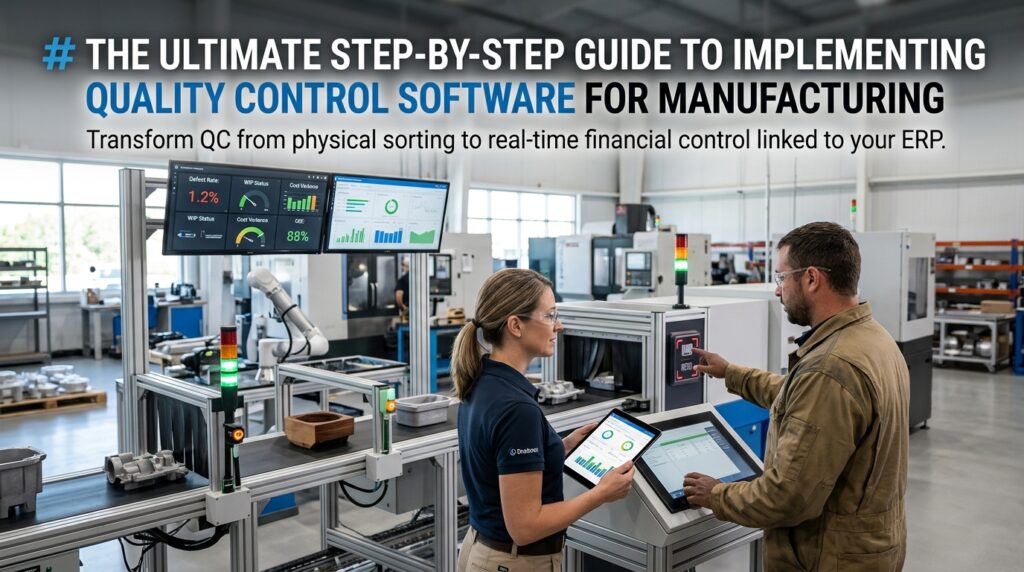
A Practical Step-by-Step Guide to Implementing Quality Control Software for Manufacturing
In a manufacturing environment, implementing Quality Control (QC) software is mainly about protecting gross margin. It also enforces inventory controls and reduces material yield variances. Defective output that bypasses immediate detection inflates Work-in-Progress (WIP) balances, erroneously absorbs fixed overheads, and reduces the accuracy of standard costing models.
Deploying this system requires an architecture that moves quality management away from post-production physical sorting and into a real-time financial control mechanism integrated with your Enterprise Resource Planning (ERP) ecosystem.
What You Need
Clear Tracking Objectives Tied to Financial Metrics
Track only where the data supports financial control. Start by mapping physical defects to financial variances, then capture the metrics that drive Material Usage Variances (MUV), Labor Efficiency Variances (LEV), and rework costs. Determine exactly which data points are required to substantiate warranty provisions on the balance sheet and validate Bill of Materials (BOM) rollups.
Hardware and Infrastructure (Capex vs. Opex)
Before buying tracking hardware, set the capital allocation approach. You need:
- Data Capture Devices: RFID portals, ruggedized barcode scanners, and tablet interfaces for line operators.
- Infrastructure: A reliable plant-floor mesh Wi-Fi network to eliminate dead zones that cause data-sync latency.
- Financial Treatment: Determine whether to capitalize this hardware, depreciated over 3–5 years, or execute an operating lease to manage cash flow.
The Right Quality Control Software for Manufacturing
Select a platform that supports API integration with your existing ERP system. The QC software must support automated BOM rollups, real-time WIP sub-ledger updates, and precise routing configurations to ensure that scrap and rework are correctly allocated to the appropriate cost centers, rather than being buried in unallocated manufacturing variances.
Realistic Scenario: Aluminum Casting & Woodfire Manufacturing (Discrete / Process Hybrid)
The Environment: A discrete manufacturer of woodfires with an in-house aluminum die-casting operation. Annual turnover is $40M.
The Problem: The company was losing margin because porosity defects in aluminum castings were not detected early. Defective castings were absorbing full labor and overhead costs through three subsequent routing steps: machining, painting, and assembly. They were then scrapped at final inspection.
The Financial Impact (Pre-QC Software):
- Standard cost of casting: $18.50 (Material: $8.00, Labor: $4.50, Overhead: $6.00).
- Scrapping at final assembly meant $10.50 of labor/overhead was erroneously absorbed per unit, masking a $320,000 annual unfavorable volume/efficiency variance.
The Solution Matrix:
| Tracking Node | Action | Financial / Workflow Impact |
|---|---|---|
| Node 1: Die-Casting | Inline porosity scan & RFID tagging | Prevents defective WIP from moving to routing step 2. Material is immediately designated for remelt, re-entering inventory at scrap standard cost. |
| Node 2: Machining | Tablet-based dimensional check | Freezes labor absorption on out-of-tolerance units. Triggers automated scrap expense allocation to the Machining Cost Center. |
| Node 3: Assembly | Final serialized barcode scan | Updates finished goods inventory via backflushing. Validates FIFO layer costs prior to transferring to the finished goods warehouse. |
The Result: By catching defects at Node 1 instead of Node 3, the business avoided more than $300k per year in unnecessary downstream processing costs and shortened the 5-day month-end close by eliminating manual scrap reconciliations.
Step-by-Step Guide to Setting Up Your Tracking System
Step 1: Map Your Production Line and Inspection Points
Map physical inspection checkpoints directly to the routing steps in your ERP.
- Shortcut: Place QC checkpoints exactly at your ERP’s backflushing points. When a quality check is passed, the system should simultaneously consume raw materials and transfer WIP to the next stage. Redundant data entry is eliminated.
2: Configure Defect Tracking and Categories
Input standardized defect codes into the QC software and map each code to a specific General Ledger (GL) expense account.
- When an operator logs “Porosity – Code 42”, the software must automatically credit the WIP sub-ledger and debit the specific “Casting Scrap Expense” account. Variance analysis is then standardized for the management team, and subjective coding by floor staff is eliminated.
3: Set Up Automated Alerts and Workflows
Configure tolerance thresholds based on your standard costing allowances. If a shift’s defect rate surpasses the standard scrap allowance, such as >3%, the software must automatically trigger a workflow alert to the Production Manager and Financial Controller. This stops out-of-control processes before they generate large end-of-month financial variances.
4: Train Staff on Data Entry and Scanning
Focus training on labor efficiency and minimal operational disruption. The scanning process must take less than 3 seconds per transaction.
- Control Check: Emphasize that unauthorized overrides or bypassing scans completely invalidates cycle counting controls. Operator compliance is required to maintain internal controls and support audits.
5: Run a Pilot Test on a Single Line
Ring-fence a single product line or cost center, such as the machining cell, before a facility-wide rollout. Run a batch from raw material issue to finished goods receipt. Reconcile the QC software’s defect log against physical scrap bins and the ERP’s MUV reports to ensure the system is reconciled to financial records.
Analyzing Tracking Data to Improve Production
Monitoring Real-Time Dashboards
Deploy real-time dashboards to track Overall Equipment Effectiveness (OEE) and live labor efficiency. If a bottleneck occurs due to a quality hold, the dashboard should immediately highlight the idle time, allowing supervisors to reallocate direct labor before unfavorable efficiency variances accumulate.
Generating Traceability and Audit Reports
Use the system to automate compliance and audit reporting. During annual financial audits, external auditors will test inventory existence and valuation. A well-configured QC system provides the records auditors need to test WIP valuation, real-time stock write-downs, and recall traceability. This can reduce audit field time and fees.