Top Warehouse Management Systems for Small Manufacturers
The Best WMS for Small Manufacturers Bridging the Gap Between the Production Floor and Your Bottom Line Running a small manufacturing business means juggling a dozen moving parts at any given moment. You are not just storing boxes; you are turning raw materials into finished goods while trying to keep costs under control. When your…

The Best WMS for Small Manufacturers
Bridging the Gap Between the Production Floor and Your Bottom Line
Running a small manufacturing business means juggling a dozen moving parts at any given moment. You are not just storing boxes; you are turning raw materials into finished goods while trying to keep costs under control. When your production floor and your back office are out of sync, your bottom line takes a direct hit.
To fix this disconnect, you need the right technology. A Warehouse Management System (WMS) is a software solution that tracks raw materials, manages Bills of Materials (BOM), monitors work-in-progress, and organizes finished goods. It serves as the digital brain of your physical operations.
Unfortunately, many small manufacturers still rely on manual tracking and massive spreadsheets to manage this complex dance. This outdated approach inevitably leads to disastrous stockouts, bloated holding costs, and highly inaccurate accounting data. When you do not know exactly what is on your shelves, you end up buying safety stock you do not need, tying up vital cash flow.
The good news is that modern software has made enterprise-level tracking accessible to small businesses. The objective of this guide is to help you find the best WMS for small manufacturers by evaluating top software features, total costs, and practical business impact. By the end of this post, you will be equipped to make a confident purchasing decision that transforms your warehouse operations.
Top WMS Software Evaluated for Small Manufacturers
Choosing the right warehouse software is not about finding the tool with the most features. It is about matching your specific operational pain points to the software designed to solve them. Let us dive into the best options on the market.
1. Katana Cloud Manufacturing (Best for Modern Makers & D2C)
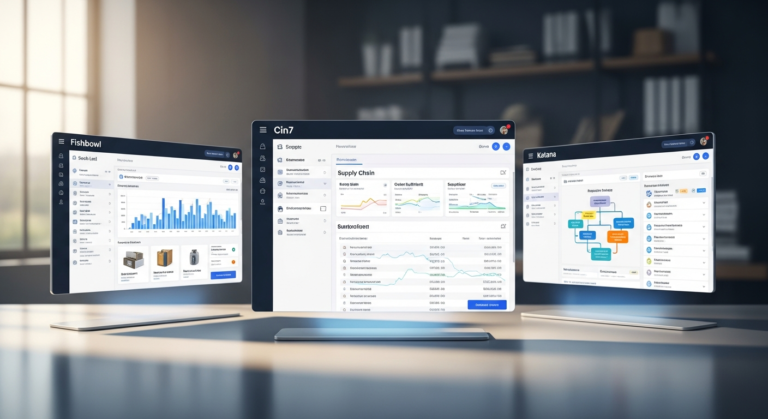
Katana is a visual, cloud-based platform designed specifically for modern small-to-medium manufacturers. It moves away from the clunky, spreadsheet-like interfaces of legacy software to offer an intuitive, drag-and-drop user experience. This makes it incredibly easy for floor staff to adopt without weeks of training.
Pros and Cons:
- Pros: Exceptional visual interface, real-time live inventory tracking, and flawless native integrations with Shopify, QuickBooks, and Xero.
- Cons: Pricing tiers can become expensive as your user count grows. It also lacks some of the highly advanced enterprise-level routing features needed for massive facilities.
Value for Money:
Katana operates on a monthly subscription model that scales with your business size. While it might seem like a noticeable monthly expense, the value is realized in immediate labor savings.
The time saved on eliminating manual data entry alone often pays for the software within the first month. Furthermore, Katana drastically reduces dead stock by giving you a real-time view of exactly what raw materials are needed for upcoming orders.
Who This Is For:
This system is perfect for small manufacturers selling direct-to-consumer (D2C) or B2B. If you need real-time, floor-level control over your manufacturing processes alongside a seamless accounting sync, Katana is a top-tier choice.
2. Fishbowl Inventory (Best for QuickBooks Power Users)
Fishbowl Inventory is a deeply robust inventory management solution that practically serves as a mini-ERP. It was originally built specifically to bridge the inventory gaps within QuickBooks. Today, it remains one of the most powerful tools for businesses that want enterprise features without leaving the QuickBooks ecosystem.
Pros and Cons:
- Pros: Offers the most comprehensive QuickBooks integration on the market. It is highly customizable and features incredibly strong barcode scanning and hardware capabilities.
- Cons: Features a much steeper learning curve than modern cloud alternatives. The user interface feels slightly dated, and there is a higher upfront implementation cost.
Value for Money:
Fishbowl is typically a larger initial investment, often requiring an upfront purchase or higher onboarding fees. However, you must view this through the lens of long-term return on investment (ROI).
Fishbowl extends the operational life of QuickBooks by years. By investing in Fishbowl, you avoid having to purchase and migrate to a six-figure enterprise ERP system, saving massive amounts of time and capital.
Who This Is For:
This software is built for established small manufacturers who handle complex, multi-stage assemblies. If your company refuses to migrate away from QuickBooks Desktop or Online, Fishbowl is the undisputed heavyweight champion for your needs.
3. Cin7 Core [Formerly Dear Systems] (Best for Multi-Channel Wholesalers)
Cin7 Core (which many still know by its former name, Dear Systems) is a heavy-duty inventory and warehouse management tool. It is built to handle highly complex supply chains, spanning multiple geographic warehouses and blending B2B and B2C sales channels. It bridges the gap between manufacturing and multi-channel retail effortlessly.
Pros and Cons:
- Pros: Features a remarkably powerful manufacturing module capable of handling complex BOMs. It also boasts great automation rules and rock-solid accounting tie-ins.
- Cons: Customer support response times can occasionally be slow. The initial setup requires dedicated time and realistically benefits from hiring an implementation partner.
Value for Money:
Cin7 Core offers exceptionally high value for aggressively growing businesses because it acts as a software consolidator. Instead of paying for a separate B2B wholesale portal, a standalone WMS, and an independent Point of Sale (POS) system, Cin7 does it all.
By rolling these multiple software subscriptions into one centralized platform, the total cost of ownership actually drops. You also eliminate the hidden costs of managing glitchy API connections between mismatched apps.
Who This Is For:
Cin7 Core is meant for small manufacturers who are scaling aggressively into wholesale distribution. If you are selling through multiple retail channels, managing contract manufacturers, and running your own warehouse, this is your platform.
4. Sortly (Best Budget Option for Micro-Manufacturers)
Sortly is a wonderfully simplified, visual asset and inventory tracking application. It completely ditches complex manufacturing jargon in favor of a user-friendly, photo-based catalog. It operates heavily on mobile devices, turning the phone already in your pocket into a powerful warehouse tool.
Pros and Cons:
- Pros: Extremely affordable compared to dedicated manufacturing software. It is usable on any smartphone for instant barcode scanning, and requires virtually zero staff training.
- Cons: Lacks complex, native manufacturing features like BOM creation or production routing. The accounting integrations are also quite basic.
Value for Money:
Sortly shines by offering an ultra-low barrier to entry for businesses on strict budgets. It is quite literally the cheapest and fastest way to digitize a messy warehouse.
While it will not calculate advanced production costs, it stops the bleeding of lost inventory immediately. For the cost of a few cups of coffee a month, you regain total visibility over your physical assets.
Who This Is For:
Sortly is ideal for very small or micro-manufacturers operating out of a single garage, basement, or small commercial facility. If you simply need to stop losing track of raw materials and do not need complex production schedules, start here.
Buyer’s Guide: How to Choose the Best WMS for Small Manufacturers
Buying a Warehouse Management System is an investment in operational accuracy, not just another software expense. Choosing the right one requires looking past shiny marketing dashboards and focusing on core functionality. Here is how to evaluate your options like a seasoned operations manager.
Essential Manufacturing Features
Standard retail inventory software is not enough for a manufacturer; you need tools built for the production floor. The software must bridge the gap between the raw goods you buy and the finished items you sell. Look for these non-negotiable features during your demos.
- Bill of Materials (BOM) Management: A Bill of Materials (BOM) is a comprehensive recipe detailing every raw material, component, and sub-assembly required to build a finished product. Your WMS must be able to track costs and inventory deductions based on these complex recipes.
- Work Order Tracking: You need the ability to issue digital work orders to your production staff. This ensures everyone knows what to build, when to build it, and what materials to pick from the warehouse shelves.
- Raw Material vs. Finished Goods Separation: The system must distinctly separate components from final products. This prevents sales teams from accidentally selling inventory that is still just a pile of unassembled parts.
- Barcode Scanning: Manual typing leads to human error. Your WMS must support barcode generation and scanning to ensure accurate picking, packing, and receiving.
The Importance of Accounting & ERP Integrations
Your warehouse data cannot live in a vacuum; it must seamlessly communicate with your financial software. A good WMS must talk flawlessly to accounting platforms such as Xero, QuickBooks, or Sage. This integration is what keeps your Chief Financial Officer (or your outsourced bookkeeper) happy.
Every time a physical item moves in the warehouse, there is a financial consequence. Physical inventory movements must automatically generate accurate financial journal entries in real-time.
If your WMS and accounting software are not integrated, you will face end-of-month reconciliation nightmares. You will be stuck manually adjusting inventory asset values, leading to costly tax reporting errors and wasted administrative hours.
Assessing Total Cost of Ownership (TCO)
Total Cost of Ownership (TCO) is a financial estimate intended to help buyers determine the direct and indirect costs of a product or system. To calculate true value, you must look far beyond the monthly subscription fee listed on a software’s pricing page.
First, calculate the upfront software costs. This includes user licenses, one-time onboarding fees, and any necessary hardware such as barcode scanners or tablet stations.
Next, contrast those upfront costs against the hidden costs of doing nothing at all. How much money are you currently losing to misplaced inventory, delayed production schedules, and expedited shipping fees? When you frame it this way, a $500 monthly WMS subscription is often much cheaper than the chaotic cost of the status quo.
The Verdict: Which WMS Should You Buy?
Analysis paralysis is common when evaluating business software. To eliminate decision fatigue, we have broken down our definitive purchasing recommendations based on your specific business profile.
- The Overall Winner: Katana Cloud Manufacturing is the most balanced choice for modern small manufacturers. It wins top billing for its outstanding blend of a modern user interface, deep manufacturing-specific features, and fair pricing.
- The Premium Upgrade: Fishbowl or Cin7 Core are the best choices for businesses with highly complex needs. If you have a larger budget, handle complex multi-channel wholesale operations, or require deep QuickBooks syncing, these are your premium upgrades.
- The Budget Pick: Sortly takes the crown as the entry-level option for micro-manufacturers. It is highly recommended for cost-conscious buyers who need immediate physical organization without a steep learning curve.
- Call to Action: Do not let another month of chaotic spreadsheets drain your profitability. Visit your chosen software’s website today to sign up for a free trial or request a personalized live demo.
Frequently Asked Questions (FAQ)
What is the difference between an ERP and a WMS for small manufacturers?
An Enterprise Resource Planning (ERP) system is all-in-one software that manages the entire business, including HR, CRM, and deep financials. In contrast, a WMS specifically handles the physical movement, manufacturing, and storage of goods.
Purchasing a full-scale ERP is often incredibly expensive and overkill for a small manufacturer. Building a tech stack that pairs a dedicated WMS with standard Accounting Software is a much cheaper, highly effective alternative.
Can I just use my accounting software for warehouse management?
While platforms like QuickBooks Online have basic inventory features, they fall incredibly short for manufacturing businesses. Basic accounting software is built to track dollars, not the complex physical realities of a warehouse floor.
Basic accounting tools cannot handle multi-stage assemblies, track specific warehouse bin locations, or provide barcode routing for your pickers. Relying on them for warehouse management usually results in messy data and frustrated production staff.
How long does it take to implement a new WMS?
For a small manufacturing business, a realistic implementation timeline is typically anywhere from 2 to 8 weeks. This accounts for cleaning up your current data, importing it, setting up your BOMs, and training your team.
While this might sound intimidating, remember that this is a temporary disruption. Investing a few weeks of time in a proper setup yields decades of operational profitability and peace of mind.