What Is an ERP Manufacturing System? A Guide to Streamlining Inventory
If you’re running a manufacturing business somewhere between $5M and $60M in revenue, there’s a good chance your inventory process looks something like this: a spreadsheet here, a disconnected purchase order system there, a warehouse team doing physical counts to double-check what the computer says is on the shelf. It works, until it doesn’t. Somewhere…
If you’re running a manufacturing business somewhere between $5M and $60M in revenue, there’s a good chance your inventory process looks something like this: a spreadsheet here, a disconnected purchase order system there, a warehouse team doing physical counts to double-check what the computer says is on the shelf. It works, until it doesn’t.
Somewhere in that growth range, most manufacturers hit a wall. Orders get missed because nobody realized a component was out of stock. Cash gets tied up in excess safety stock because nobody trusts the numbers enough to order lean. Month-end close takes days longer than it should because finance is reconciling inventory data from three different sources.
An ERP manufacturing system is built to solve exactly this problem. In this guide, we’ll cover what an ERP manufacturing system actually is, how it streamlines inventory management specifically, and the practical steps to implement one without disrupting the business you’re trying to grow.
What Is an ERP Manufacturing System?
At its core, an ERP manufacturing system is a single software platform that connects the parts of your business that generate and consume inventory data: production, purchasing, warehouse operations, sales, and finance into one shared system of record.
Instead of your shop floor tracking work orders in one tool, your warehouse tracking stock in another, and your accounting team maintaining inventory valuation in a third, everything runs through the same database. When a work order consumes raw materials, that transaction updates inventory levels, cost of goods sold, and purchasing triggers in real time, automatically.
It’s worth distinguishing manufacturing-specific ERP from generic or accounting-first ERP systems. A lot of growing manufacturers start out on accounting software like QuickBooks, sometimes bolted together with separate inventory or shop floor tools. That combination can work at $5M in revenue. It rarely works cleanly at $20M or $40M. A true manufacturing ERP adds the functionality generic systems don’t have: material requirements planning (MRP), bill of materials (BOM) management, shop floor and production tracking, and manufacturing-specific costing logic.
Most manufacturing ERP systems today are cloud-based (SaaS), which matters for mid-market companies in particular. It lowers upfront infrastructure cost, simplifies updates, and makes it easier to add users or locations as the business grows.
Signs You’ve Outgrown Your Current System
Before deciding whether an ERP manufacturing system is the right move, it helps to recognize the warning signs. If several of these sound familiar, it’s a strong signal you’ve outgrown a patchwork setup:
- Staff manually re-enter the same data (a sales order, a PO) into multiple systems
- Nobody can answer “how much of this do we actually have in stock” without a physical check
- Inventory write-offs or obsolete stock keep showing up at year-end
- Production planning happens on spreadsheets, whiteboards, or in someone’s head
- Finance can’t close the books without a lengthy inventory reconciliation process
- You’re turning down orders, or overpromising delivery dates, because of poor visibility into materials
How an ERP Manufacturing System Streamlines Inventory
Inventory is usually where the pain is felt most acutely, and it’s where ERP delivers the clearest return. Here’s how.
A single source of truth. When production, purchasing, and sales all read from the same live inventory data, you eliminate the constant reconciliation between systems, and the errors that come from someone working off a stale spreadsheet.
Demand-driven replenishment. With MRP built in, purchasing and production decisions are driven by actual demand, sales orders, forecasts, and production schedules, rather than gut feel or fixed reorder habits. That means fewer emergency purchase orders and less capital tied up in stock you don’t need yet.
Real-time visibility across locations. If you run more than one warehouse, or stock is spread across a production floor and a distribution center, ERP gives you one live view of what’s where, instead of separate counts that never quite agree.
Lower carrying costs. A lot of “just in case” safety stock exists because nobody trusts the numbers. When visibility improves, businesses typically can reduce buffer stock without increasing stockout risk — freeing up cash that was otherwise sitting on a shelf.
Traceability and lot control. For manufacturers with any regulatory, quality, or recall exposure, ERP systems provide lot and serial tracking from raw material through to finished goods and shipment, something spreadsheets simply can’t do reliably.
Manual Process vs. ERP-Driven Process
|
Task |
Manual / Disconnected Systems |
ERP Manufacturing System |
|
Checking stock levels |
Physical count or outdated spreadsheet |
Real-time, system-wide visibility |
|
Reordering materials |
Manual PO based on gut feel |
Automated reorder points via MRP |
|
Costing a product |
Estimated or calculated after the fact |
Calculated automatically per BOM and labor/overhead |
|
Tracking inventory across sites |
Separate spreadsheets per location |
Single live view across all locations |
|
Month-end inventory reconciliation |
Days of manual reconciliation |
Near real-time, minimal reconciliation |
Steps to Effectively Implement an ERP Manufacturing System
Implementing an ERP system is a significant undertaking, but the businesses that get the most out of it tend to follow a similar structured path. Here’s how to approach it.
Pre-Implementation Checklist
Before you evaluate a single vendor, get the groundwork in place.
Form a cross-functional implementation team. ERP touches nearly every department, so the project can’t live solely with IT or finance. Pull together representatives from operations, the warehouse, finance, and an executive sponsor who can make final calls and clear roadblocks. This team owns decisions throughout the project, not just at kickoff.
Conduct a legacy data audit. Before you migrate anything, look hard at what you’re migrating. This is the point to find duplicate SKUs, dead or obsolete inventory records, inaccurate BOMs, and inconsistent units of measure. Cleaning this up before implementation is far easier than cleaning it up after go-live.
Establish a clear budget and timeline. ERP costs go well beyond the software license, factor in data migration, implementation consulting, training, and the internal time your team will spend on the project. Set a realistic timeline. Mid-market manufacturing ERP implementations commonly run anywhere from four to nine months depending on complexity.
Define success metrics up front. Before implementation starts, agree on the specific numbers you expect to move: inventory turns, fill rate, carrying cost, forecast accuracy. Teams that skip this step often struggle to demonstrate ROI later, even when the system is genuinely working.
Defining Your ERP Manufacturing System Requirements
Assess current inventory bottlenecks. Get specific about where the pain actually is. Are stockouts concentrated in a particular product line? Is excess stock sitting in one warehouse while another runs short? Is the problem forecasting, purchasing lead times, or production scheduling? This assessment should directly shape which modules and features you prioritize.
Identify essential modules and features. At minimum, most manufacturers in this revenue range need:
- MRP (Material Requirements Planning): Translates sales orders and forecasts into purchasing and production plans, so replenishment is driven by actual demand rather than guesswork.
- Advanced warehouse management: Bin and lot-level tracking, pick-pack-ship logic, and support for barcode or RFID scanning, the functionality that turns “we think we have it” into “we know exactly where it is.”
- Cost accounting module: Automated standard or actual costing tied to your BOMs, so product costs and margins are accurate without manual spreadsheet calculations.
- Quality management: Often overlooked at this size, but worth including if you have any compliance requirements, certifications, or recall exposure, it ties quality holds and inspections directly into inventory movement.
Ensure scalability and integration. A system that fits your business at $8M might not fit at $35M. Prioritize a platform with open APIs or EDI support that can integrate with your existing CRM, e-commerce platform, or shop floor equipment. And confirm the vendor has a track record supporting companies as they scale through this exact revenue range.
Execution Steps for Improved Inventory Control
Migrate and standardize data. Using the audit from the pre-implementation phase, clean up SKUs, standardize units of measure, and validate that every BOM is accurate before go-live. Inaccurate data migrated into a new system just becomes a new, harder-to-fix problem.
Set up automated reorder points and BOMs. Configure minimum stock levels, reorder points, and lead times based on real historical and forecasted demand, not the numbers left over from your old system. Make sure BOMs are current and reflect actual production, including scrap and yield assumptions.
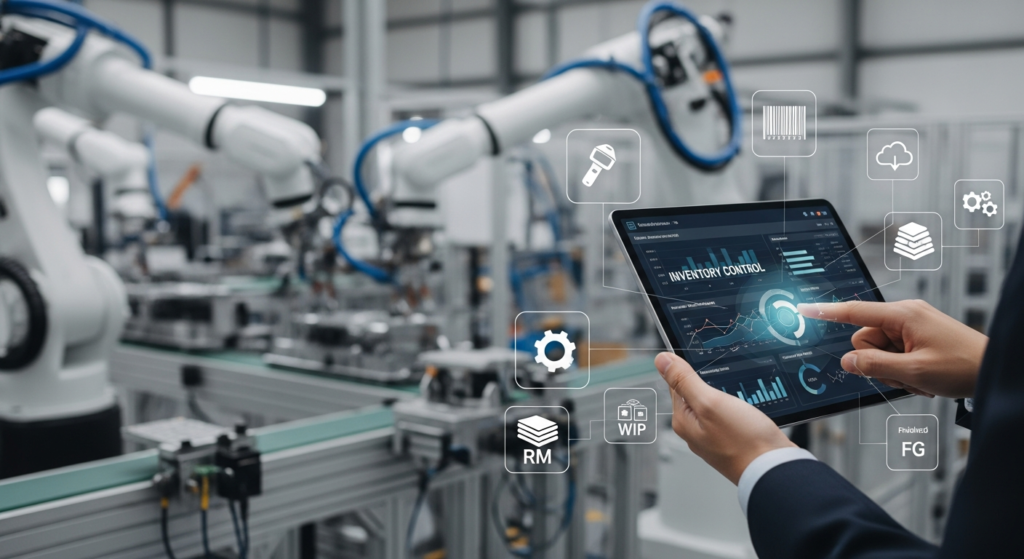
Enable real-time tracking and barcoding. Roll out barcode or RFID scanning on the warehouse floor so inventory transactions are captured the moment they happen, rather than batched and entered later. This is one of the single biggest drivers of inventory accuracy post-implementation.
Run a pilot before full cutover. Where possible, test the new system on a single product line or warehouse before rolling it out company-wide. A pilot period surfaces configuration issues while the stakes are still low.
Invest in training and change management. More ERP implementations fail, or underdeliver, because of poor user adoption than because of the software itself. Budget real time for hands-on training, and identify internal champions on the warehouse and production floor who can support their teams through the transition.
How to Measure and Report Inventory Management Effectiveness
Once the system is live, track a consistent set of metrics to confirm it’s delivering the results you planned for:
- Inventory turnover ratio — how efficiently stock is being converted into sales
- Fill rate / stockout frequency — how often orders are fulfilled on time and in full
- Carrying cost as a percentage of inventory value — how much capital is tied up in stock
- Forecast accuracy — planned demand versus actual usage
- Cycle count variance — how closely system records match physical counts
Metrics only drive improvement if someone’s actually looking at them. Build a simple reporting cadence around these numbers, a weekly operational review with the warehouse and production team, and a monthly review with finance, so the data leads to action rather than sitting in a dashboard nobody opens.
Final Thoughts
An ERP manufacturing system isn’t just a software upgrade, it’s the operational backbone that turns inventory from an unpredictable cost center into something you can actually forecast and control. For manufacturers moving through the $5M to $60M range, that shift is often what separates steady, profitable growth from growth that outpaces the systems trying to support it.
Getting there takes planning: a clear-eyed pre-implementation checklist, a requirements process grounded in your actual bottlenecks, and disciplined execution once you go live. Done well, the payoff shows up in fewer stockouts, less capital tied up in excess stock, and a finance team that can close the books without a week of manual reconciliation.
FAQ
How long does ERP implementation take for a mid-size manufacturer? Most implementations for companies in the $5M–$60M range take four to nine months, depending on the number of modules, locations, and how much data cleanup is required beforehand.
What does an ERP manufacturing system cost? Costs vary widely based on the number of users, modules, and deployment type, but beyond the software subscription itself, budget for implementation consulting, data migration, and training; often a meaningful percentage of the total project cost.
Do I need a manufacturing-specific ERP, or will generic ERP work? If your business relies on BOMs, production scheduling, or material planning, a manufacturing-specific ERP will almost always outperform a generic or accounting-first system, which typically lacks native MRP and shop floor functionality.
What’s the biggest reason ERP implementations fail? Poor data quality going into migration and insufficient user training and change management are the two most common causes; more often than the software itself.